Active Venue Finder
Browse FFXIV venues and teleport to them with one click.
About Active Venue Finder
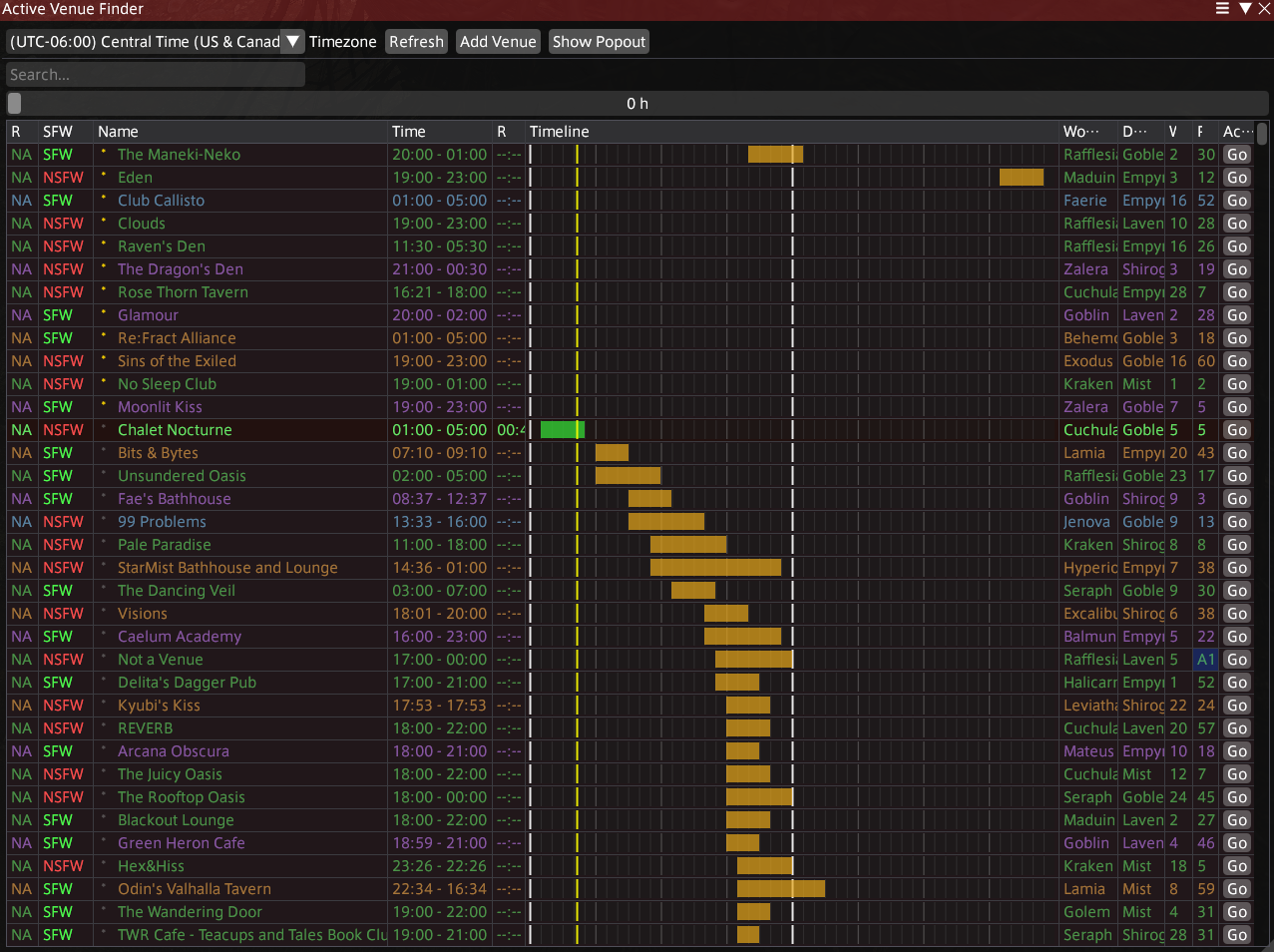
Discover active FFXIV venues with data powered by the FFXIV Venues API. Browse currently open and upcoming venues in a sortable table featuring color-coded data centers, opening times, and a visual timeline. Filter by region, search by name, and adjust the lookahead window to find venues opening soon. Save favorites, blacklist venues, and add your own custom venues with custom schedules and tags. Lifestream integration lets you teleport directly to any venue, while a compact popout window gives you a quick overview at a glance. Use /avf to open.
Screenshots
1 image from the plugin's author. Click one to see it full size.
How to install
- Install XIVLauncher with Dalamud and start the game through it.
- Type
/xlsettingsand open the Experimental tab. Under Custom Plugin Repositories, paste this address, click the + button, then the save button.https://puni.sh/api/repository/vali - Type
/xlpluginsto open the plugin installer. - Open All Plugins, search for Active Venue Finder, and click Install.
Active Venue Finder comes from the Puni.sh (vali) repository, not Dalamud's official list. Dalamud's team has not reviewed it. Only add repositories you trust, and remove the repository again if you stop using its plugins.