
EngageTimer
Complete combat countdown, pull timer and OBS overlay
About EngageTimer
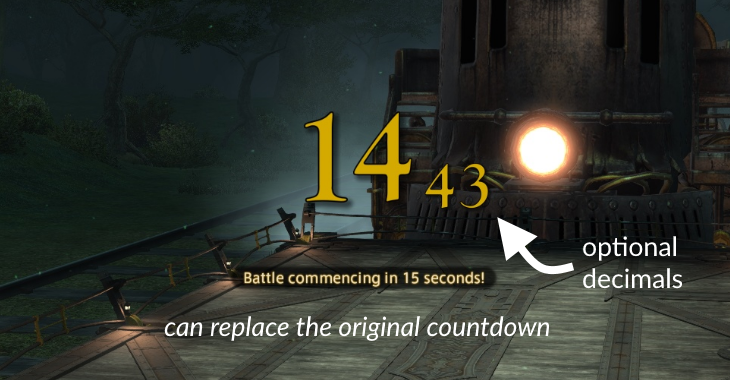
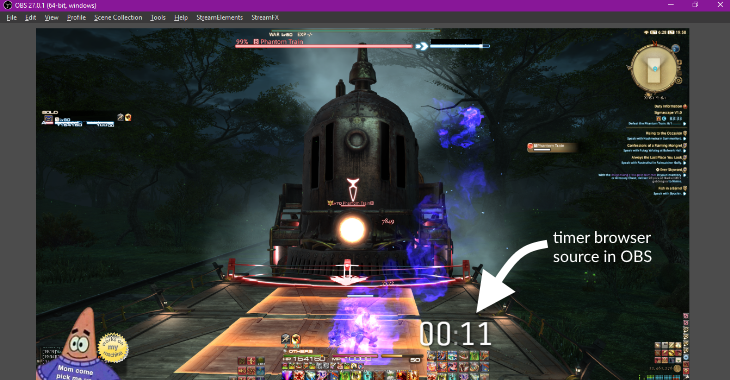
Finally, display all the numbers when starting a countdown! Comes with an accurate pull timer that starts when you or any of your party members enter combat. Features : - Big countdown that displays all the numbers - Customizable big-number textures (default, yellow, WoW style or custom files) - Display combat time in the Server Info Bar, and/or a floating window - OBS browser-source compatible page with countdown and current combat duration Why the OBS thing ? I like having a big stylized stopwatch in my private recordings and that's about it. See repository for more info. Feel free so send me feedback, bugs and potential improvements! Check the about page in the plugin settings for more info. Please report urgent feedback on GitHub or XIVLauncher Discord's support thread for this plugin.
Screenshots
3 images from the plugin's author. Click one to see it full size.

How to install
- Install XIVLauncher with Dalamud and start the game through it.
- Type
/xlpluginsto open the plugin installer. - Open All Plugins, search for EngageTimer, and click Install.