Item Vendor Location
Shows you where to buy vendor items
About Item Vendor Location
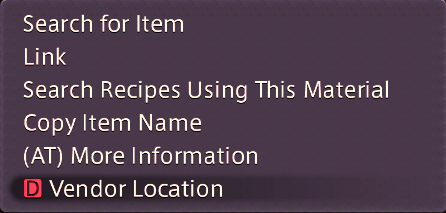
Adds a context menu option for items that will show you where to find items you can buy off a vendor
Screenshots
1 image from the plugin's author. Click one to see it full size.
How to install
- Install XIVLauncher with Dalamud and start the game through it.
- Type
/xlpluginsto open the plugin installer. - Open All Plugins, search for Item Vendor Location, and click Install.