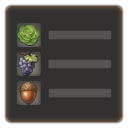
Shop Item Icons
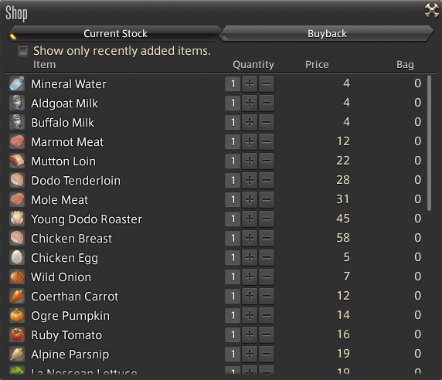
Displays item icons instead of item category icons in shops.
About Shop Item Icons
Displays item icons instead of item category icons in shops. Supported windows: - Shops: Simple merchants that sell items for Gil. - Item Exchange: Vendors that trade items for items, such as the Wolf Collar Exchange or Itinerant Moogles that exchange items for Irregular Tomestones during the Moogle Treasure Trove event. - Item Exchange (categorized): Splendors Vendors, the Scrip Exchange or the Wolf Mark Exchange. - Currency Exchange: Vendors that sell items for currency, such as all the societies vendors, or the Trophy Crystal Exchange. - Grand Company Seal Exchange: Quartermasters of Grand Companies. - Rewards: Vendors that provide job gear free of charge. - Exchange: Calamity Salvager when exchanging old pigments for all-purpose pigments.
Screenshots
1 image from the plugin's author. Click one to see it full size.
How to install
- Install XIVLauncher with Dalamud and start the game through it.
- Type
/xlpluginsto open the plugin installer. - Open All Plugins, search for Shop Item Icons, and click Install.
Similar plugins
-
Splatoon Scriptable overlay engine for drawing mechanics, markers, and indicators in real-time
-
 Character Panel Refined
Refine the character panel to display only useful information like crit and direct hit chance
-
 Umbra XIV
Adds fully customizable toolbars and 3D world markers to the game.
-
 Pixel Perfect
Reveals your hitbox, with customisable features. Endorsed by world first raiders!