
Voice Director
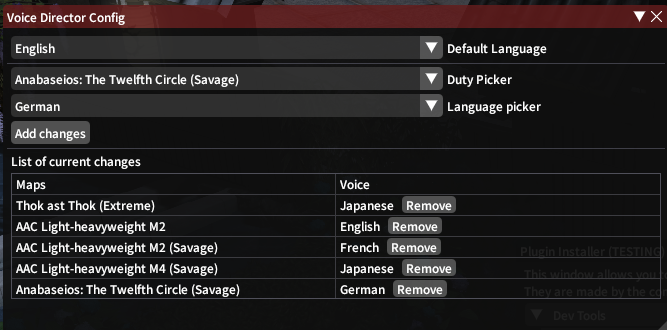
Changes your VO language on a per-duty basis
About Voice Director
Changes your VO language by specifying a language and an instance, your language will revert to the default when you exit. Icon designed by Leremy from Flaticon
Screenshots
1 image from the plugin's author. Click one to see it full size.
How to install
- Install XIVLauncher with Dalamud and start the game through it.
- Type
/xlpluginsto open the plugin installer. - Open All Plugins, search for Voice Director, and click Install.
Similar plugins
-
 Orchestrion Plugin
Adds a simple front-end for browsing and changing the in-game BGM.
-
 Weatherman
Allows precise control over time and weather per zone or globally.
-
 Harp Hero
Bard performance assistant
-
 SoundSetter
A Dalamud plugin that allows volume control from anywhere, including gpose and cutscenes.