
Window Title Changer
Change your game window titie
About Window Title Changer
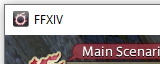
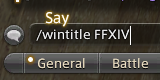
Allows you to change your game window title
Screenshots
2 images from the plugin's author. Click one to see it full size.
How to install
- Install XIVLauncher with Dalamud and start the game through it.
- Type
/xlpluginsto open the plugin installer. - Open All Plugins, search for Window Title Changer, and click Install.